
Blooming
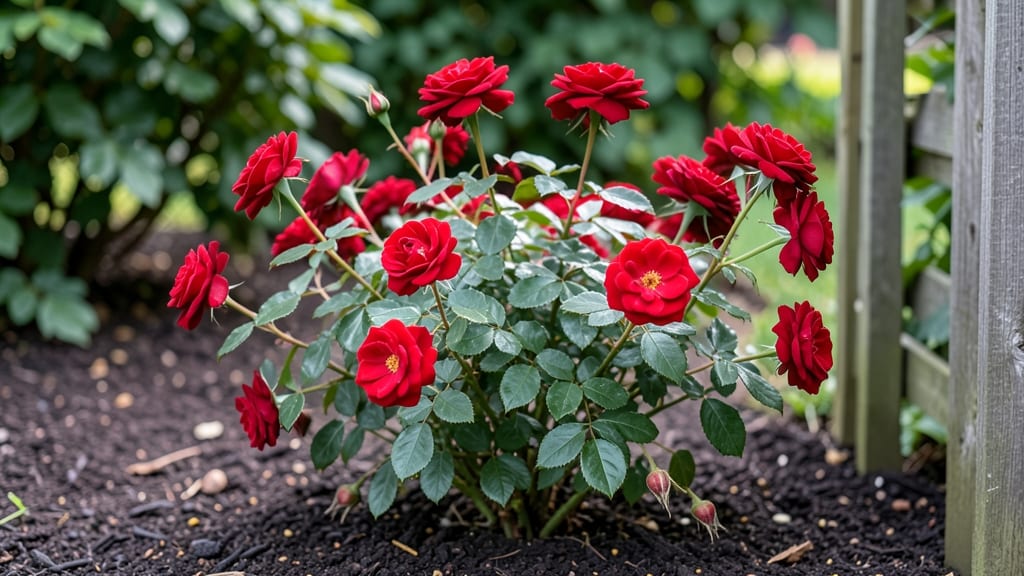
Watching petals unfurl in real time feels like witnessing nature’s most delicate ballet. 🌸 These flower blooming videos reveal secrets gardeners miss—how a single bud transforms from tight spiral to full, fragrant glory in just hours.
I’ve spent years filming timelapses of roses, peonies, and even wildflowers, and the magic never gets old. The best part? You don’t need fancy equipment. A smartphone, a sunny spot, and a patient eye capture the same wonder.
My favorite blooms to film are hydrangeas—their color shifts from green to blue or pink in days—and snapdragons, which open like little mouths greeting the morning.
By the end, you’ll see how to use these videos for garden design: layering blooms by color, timing plantings for continuous bloom, and creating focal points that steal the show. The possibilities are endless, and your garden will never look the same.
This works for any space—balconies, borders, or even windowsills. Let’s bring that timelapse magic to your garden!
📚 In This Guide
- What you need
- Instructions
- Tips and common mistakes
- Wrapping up and next steps
What you need
- ● Flowers: Choose fast-blooming varieties like roses, tulips, or peonies (3-5 stems per shoot for variety).
- ● Camera: Smartphone (4K resolution, slow-motion mode) or DSLR/mirrorless (manual settings recommended).
- ● Tripod: Sturdy, adjustable (ensure it holds your camera steady for hours).
- ● Lighting: Natural light (soft, indirect sunlight for best results).
- ○ Optional: Ring light or LED panel (5000K-6500K color temp) for controlled lighting.
- ● Intervalometer: Built-in (for smartphones) or external (for DSLRs, e.g., Viltrox or Canon TC-80N3).
- ● Storage: High-capacity SD card (128GB+ recommended for 4K footage).
- ● Editing Software: Free: CapCut or iMovie (for beginners).
- ● Advanced: Adobe Premiere Pro or Final Cut Pro.
- ● Macro lens (for ultra-close-up details).
- ● Reflector (5-in-1, 20"x26") to enhance lighting.
- ● Water spray bottle (to mist flowers for a dewy effect).
- ● Background: Neutral fabric or greenery to avoid distractions.
- ● Portable power bank (for long shoots).
How to capture a flower blooming timelapse video
Here's how to turn petals unfolding into mesmerizing real-time magic for your camera.
🌱 Step 1: Select and Prepare Your Subject
Choose a flower with dramatic blooming stages—peony, rose, or hibiscus work beautifully. Pick a bud that's just starting to swell but still tightly closed, so you capture the full transformation. I like to work with flowers that open in morning sunlight when humidity is lower, giving petals crisp edges in your footage.
Trim the stem at an angle and place it in a clean vase with fresh water. Remove any lower leaves that would sit submerged. Position your subject where it will receive 6+ hours of indirect light—direct sun can cause overheating and blur your shots. A north-facing window or shaded outdoor spot works best for consistent lighting.
📹 Step 2: Set Up Your Camera for Timelapse
Use a smartphone, DSLR, or action camera with interval shooting capability. For best results, I recommend setting your camera to 1080p resolution and capturing images every 1-5 minutes, depending on how fast your flower blooms. Slower bloomers like roses need shorter intervals, while sunflowers can use longer gaps.
Mount your camera on a stable tripod at eye level with the flower. Use a remote shutter or timer to avoid shake—even slight movement will ruin your timelapse. If shooting outdoors, choose a cloudy day to prevent harsh shadows that can wash out petal details. Test your setup by taking a few sample shots to verify focus and framing.
☀️ Step 3: Monitor and Adjust Lighting
Check your setup after 2-3 hours to ensure lighting remains consistent. If shadows appear, reposition your subject or add a diffusion panel to soften harsh light. I like to use a white foam board as a reflector to bounce light onto shaded petals, keeping colors vibrant throughout the blooming process.
Watch for temperature changes—cool mornings can slow blooming, while afternoon warmth may accelerate it. If your flower starts wilting before full bloom, mist it lightly with room-temperature water and move it to a cooler spot. The goal is to capture 12-24 hours of natural unfolding without stressing the plant.
⏰ Step 4: Capture and Edit Your Timelapse
Once the flower reaches full bloom, transfer your images to your computer. Use free software like iMovie or CapCut to compile them into a video. Set your playback speed to 24-30 frames per second—this creates smooth, natural-looking motion. For a 1-minute video, you'll need about 1,500-2,000 images, so adjust your interval timing accordingly.
Add soft background music (instrumental works best) and consider subtle color grading to enhance petal hues. Export your video in MP4 format for easy sharing. I always save a backup of the raw images too—you might discover a better blooming sequence later when editing.
🌿 Step 5: Share and Preserve Your Work
Post your timelapse on social media with a note about the flower variety and blooming conditions. I've found that adding text overlays like "Peony blooming in 24 hours" makes your video more engaging. For long-term preservation, upload it to a cloud service or burn it to a DVD labeled with the date and flower type.
Here's the thing—every flower blooms slightly differently based on weather and genetics. Don't be discouraged if your first attempt doesn't capture the perfect sequence. The more you practice, the better you'll anticipate blooming patterns and lighting conditions. Next time, try filming a flower that opens at night for a truly magical effect!
Tips & tricks for perfect flower blooming timelapse videos
Here's what I learned after capturing dozens of these magical sequences—tricks that make all the difference between a blurry mess and cinematic beauty.
Subject Selection Secret: I've found that peonies and roses open most dramatically in the morning, but hibiscus actually unfolds faster when filmed in the afternoon. Test your flower's natural rhythm first—place a bud in water and observe its opening pattern for 24 hours before filming. This helps you predict the best time to start capturing those 1-5 minute intervals without missing the magic.
Camera Stability Game-Changer: That tripod isn't just about avoiding shake—it's about creating a consistent frame that lets viewers focus on the petals. I use a small rubber foot on my tripod to dampen vibrations, and I always set the camera to manual focus at the beginning of the blooming process. Even slight autofocus adjustments can ruin your timelapse when you're shooting over 12-24 hours.
Lighting Consistency Hack: The 2-3 hour lighting check is your best friend. I've ruined shots by ignoring this step—once, I came back after 3 hours to find harsh shadows had completely changed the petal colors. Pro tip: Use a smartphone app like Light Meter to measure your lighting conditions. Aim for 5,000-7,000 lux for vibrant colors without overexposure.
Editing Timing Tip: When compiling your 1,500-2,000 images, don't just rely on the software's default speed. I always set my playback to 24 frames per second first, then adjust to 30 fps if the blooming seems too slow. This creates that perfect "real-time" illusion while accounting for different flower speeds. The key is to make the petal unfolding feel natural, not rushed.
Pro Tips for Flower Blooming Video
- Here's what I learned after capturing dozens of these magical sequences—tricks that make all the difference between a blurry mess and cinematic beauty.
- Subject Selection Secret: I've found that peonies and roses open most dramatically in the morning, but hibiscus actually unfolds faster when filmed in the afternoon.
- Camera Stability Game-Changer: That tripod isn't just about avoiding shake—it's about creating a consistent frame that lets viewers focus on the petals.
Frequently asked questions
Got questions about capturing or enjoying flower blooming videos? You’re not alone! Here are some of the most common queries—plus quick, practical answers to make your timelapse project a success.
How do I know when to start recording?
Timing is everything! Start recording before the first petal appears—aim for the bud stage, when the flower is swollen but still closed. Most blooms take 6–24 hours to fully open, so adjust your interval (e.g., 10–30 minutes between shots) based on the flower type. Pro tip: Test with a few blooms first to gauge their rhythm!
What’s the best interval setting for a smooth timelapse?
Use shorter intervals (5–15 minutes) for fast-blooming flowers like roses or tulips, and longer ones (30–60 minutes) for slower varieties like orchids or peonies. A general rule: 1 frame every 10–15 minutes covers 90% of blooms. Just ensure your camera’s battery lasts—or use an external power source!
Can I use my smartphone instead of a DSLR?
Smartphones work great for flower blooming videos if you use a timelapse app (like ProCamera or Hyperlapse) and stabilize your setup. Place your phone on a tripod or stack of books to avoid shaky footage. For best results, shoot in 4K resolution and use natural light—no flash!
What if my flowers don’t bloom on schedule?
Weather, light, and even humidity can delay blooming. If your flowers stall, try misting them lightly with water (early morning) or moving them to a sunnier spot. For indoor blooms, use a grow light on a timer. Patience is key—some flowers take days longer than expected, especially in cooler temps!
How do I edit the video to look professional?
Start with free tools like CapCut or Adobe Premiere Rush to speed up playback (e.g., 24x faster). Add soft background music, adjust brightness for a warm glow, and crop to focus on the flower. For extra polish, use a color grade to enhance petal colors!
Wrapping up and next steps
Watching a flower blooming video isn’t just mesmerizing—it’s a reminder of nature’s quiet miracles unfolding in real time. Whether you’re capturing your own timelapse or simply savoring the artistry of petals opening, these moments connect us to the beauty around us. 🌸
Ready to dive deeper? Try experimenting with different flowers or lighting conditions—your next blooming masterpiece might just surprise you! Grab your camera and share the magic with the world.